Cue Sheet, Technical Run-Downs, and Show Distribution
Documenting What Must Happen On Stage
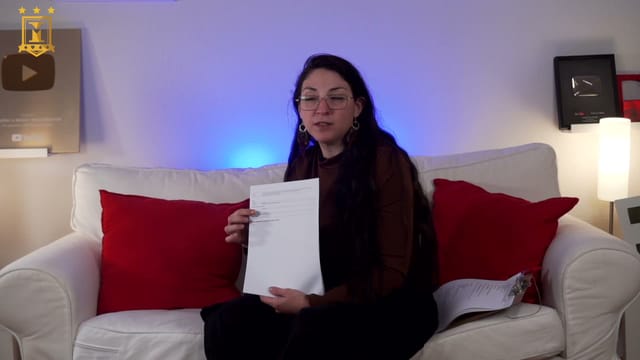
Stella Pérez walks through a cue sheet and a technical run-down to explain how to communicate lighting, sound, video, and other cues in a show. Using examples, she shows what information each crew member needs and how to tie it to the artist's actions. The class also includes an introduction to the professional production and distribution landscape in Spain.
The Cue Sheet for a Magic Routine
She suggests preparing one sheet per routine, featuring timings, cue numbers, technical actions, and what happens on stage. You will learn to distinguish the cue trigger—a phrase, a movement, or a musical beat—from the actual action the technician must execute.
The example walks through a curtain rise, the artist's entrance, the start of music and lighting, and changes during a manipulation routine. The use of timecode references on a track and photographs to help identify the desired movement or stage picture is explained. Abbreviations and color-coding are presented as organizational aids, rather than replacements for a clear description of each action.
Describing Cues, Transitions, and Special Requirements
In addition to the cue table, the cue sheet can detail lighting cues: areas that need to be lit, light direction, intensity, and the overall look. For sound, it specifies which track is used, when it starts and ends, and whether it fades in, fades out, or cuts. Fade ins, fade outs, and blackouts are explained in this context.
Notes on special effects, stage cleaning, and cameras are also discussed. Water, confetti, smoke, or pyrotechnics serve as examples of requirements that must be communicated to the venue and crew. The content teaches how to document them, not how to install or run those effects. Photographs and floor plans can accompany the sheet to make the information more precise.
Technical Run-Down and Staging Run-Down
For a full show, the technical run-down organizes actions by routine or section and brings together the various departments. The columns for cue, technical action, trigger, sound, lighting, video, and special effects are reviewed. Track and video names must match the files given to the technician; actions such as unmuting or muting a microphone are also logged.
The staging run-down serves a different purpose: ordering the entrances and exits of artists, assistants, props, and set pieces. It must identify who performs each movement, where they enter or exit, and what props they use. Stella explains why it is developed and adjusted during rehearsals so that changes do not disrupt the pacing. It covers both working with a stage manager and a smaller setup where one person handles multiple roles.
Contracts, Rights, and Industry Resources
The final section provides a general map of production relationships: agreements with venues, agents, distributors, ticketing companies, and communication services, as well as rights assignments. Entities such as AISGE, SGAE, and VEGAP are mentioned, along with cultural organizations, regulatory compilations, statistics, and grant opportunities.
These are references discussed in the recording to help you understand the industry. Contract drafting, rights registration, grant applications, and up-to-date legal or tax procedures are not covered in depth. Mentions of settlements and VAT are brief, with no calculation exercises.
Distributing the Show
Self-distribution is compared with working with agents or distributors. Theater networks and circuits are presented as potential avenues for contact, and topics such as exclusivity, commissions, ticketing, and the division of responsibilities with the venue are discussed. The focus is on recognizing which stakeholders are involved and what issues should be clarified, rather than guaranteeing bookings or setting standard fees.
Applying the Lesson
It is helpful to have a defined routine or show and gather its sequence of actions, music and video files, lighting references, and movement requirements. A spreadsheet helps organize the information; no specific software or console-operating skills are required to follow the explanation.
The session lasts approximately 30 minutes. Documents are studied as examples within the video, without promising templates or downloadable attachments. The goal is to produce comprehensible documentation and understand a production's working framework, not to teach magic effects or technical equipment programming.