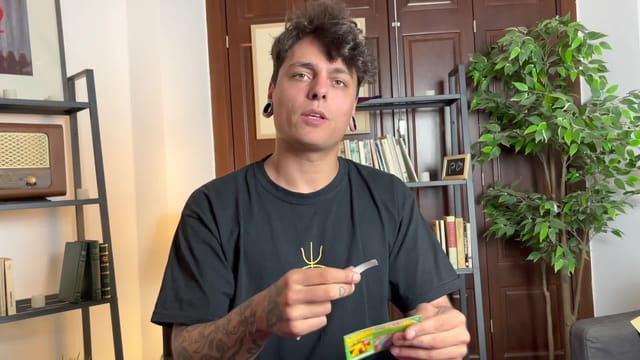
Visual card-to-bill change with a flap
A transformation designed for the camera
Juan Capilla joins Julio Montoro as a guest to explain a visual gimmick: a small piece of cardboard, presented in the example as a scratch card, transforms into a banknote. The lesson uses this change to introduce working with flaps and black art, from the materials to the details that determine how the result looks on camera.
Capilla performs the construction and explains how it works; Montoro chimes in during the explanation and on-camera tests. You will learn the concept and several brief handlings to present it. The focus is a prepared visual transformation, especially tailored for social media videos.
Materials and flap construction
The construction uses haberdashery elastic thread, double-sided tape, a matte-finish black adhesive sheet, a fine needle, a utility knife, and scissors. For the example, you need the cardboard that will change and the banknote; a five-euro bill is used because of its size, and using a toy bill is also considered. As an alternative to the scratch card, bingo cards or similar supports are mentioned.
Capilla explains how to prepare the crease in the cardboard and how to make the surface cut so that it bends in the desired direction. Next, he covers the black covering, cutting out, and centering of the pieces. The precision of the assembly and the size difference between the two objects are part of the design: it is best to understand the relationship between them before moving on to the thread.
During the construction, he discusses using a guide, the pressure to apply when working on the cardboard, the placement of the tape, and keeping the table organized. These are useful details for obtaining a consistent prop and for distinguishing a manufacturing issue from a handling issue.
Adding movement and adjusting the response
The explanation continues with the small holes, threading, and knots that give movement to the flap. Capilla discusses where to position the knot so it is less exposed and how to find an intermediate tension, avoiding both a loose thread and an overly tight assembly.
He also demonstrates the importance of opening the gimmick little by little at first. Then he works on a slight curve that allows you to keep it in position and decide when to trigger the change. This adjustment bridges manufacturing and presentation: the outcome depends on how the prop responds when opened, held, and moved.
Black art, light, and framing
The matte black material plays a specific role in concealment. The lesson includes tests discussing what becomes visible under the spotlight's glare and against the t-shirt's design. These checks help understand why the gimmick's finish, the background, and the lighting must be studied together.
For recording, Capilla recommends using the camera in selfie mode and watching the result on screen while you adjust the light and position. You will learn to evaluate the effect from the camera's point of view, without taking it for granted that the setup remains hidden under any condition.
Handlings and potential applications
With the prop ready, different starting positions and ways to trigger the change are explained: holding the cardboard, operating the movement, and accompanying the appearance of the banknote with small openings and closures. The explanation aims to help you move the object fluently within the practiced recording conditions.
The scratch card-to-bill change is the built application. Ideas are also suggested such as a receipt-to-bill or a business card-to-post-it; these are possibilities of the principle, not fully developed additional constructions. You can study the example to understand what you would need to adapt when choosing another pair of objects.
This is a lesson to start making visual gimmicks and rehearse presenting them on camera. It requires material preparation, patience with cutting and threading, and tests for tension, curvature, light, and framing. The class provides this complete walkthrough on a single setup.