Technical Preparation of a Magic Show
Borja Montón explains how to prepare the technical side of a magic show so that the script, effects, lighting, music, and crew work together with a shared intention. With Carlos participating as a technical assistant, he goes through the documents and decisions that allow you to move from a staged idea to an organized performance. The examples stem from his own experience and showcase both multi-person productions and solutions for a magician working with the venue's resident technician.
From Idea to Script
The starting point is deciding what you want to communicate to the audience and writing it down. You work on the text script: organizing scenes, dialogue, actions, and key moments; testing stories and jokes; and reviewing what doesn't work when put into practice. A previous script is shown, and Celtx is discussed as a helpful tool for organizing characters and stage directions.
Memorizing the text also has a technical consequence. Certain words or actions are the "cues" that indicate when a lighting change, a musical track, or an entrance should happen. It explains how to maintain these reference points even if the performer improvises and why it is best to rehearse them with the people operating the show.
Pre-production begins by imagining the desired effect and emotion before choosing a prop or method. Then, its practical possibilities are studied: transport, space, cost, and lighting conditions. This process helps adapt an idea without losing its theatrical purpose.
Lighting, Sound, and Transitions
Lighting is approached as a tool to direct attention, define space, and support the mood of a scene. Positions such as overhead lighting, sidelight, and front light are discussed, along with the importance of anticipating how each choice affects the elements of the routine.
Music and sound effects can add emotion, humor, or a sense of reality. The examples allow you to study the exact timing of a cue, the relationship between an action and its accompanying sound, and the problems of trusting a precision effect to someone who hasn't rehearsed it. It is also suggested to work through a sequence without audio to explore how the body and lighting communicate without sound support.
Transitions receive their own attention: closing an effect, letting the audience breathe, maintaining the show's thread, and giving time to prepare the next part. Shifts in focus and video resources are discussed as possibilities to accompany these intervals.
Documents for Preparing and Coordinating the Show
The lecture distinguishes between several tools that fulfill different tasks:
- Technical Lighting and Sound Script: numbers and organizes entrances, exits, and changes; identifies their cues and uses track names that match the files or playlist. The instructions must be clear to the technician receiving them.
- Magic Script: gathers materials, preparation, setup, and movements for each effect. It is used to check the setup and also to pack up without leaving anything behind at the end.
- Run-down / Running Order: allows you to place the interventions of lighting, sound, and people within the sequence of the show.
- Stage Manager's Script / Prompt Book: connects the text with the technical cues to follow the performance, anticipate changes, and react if the performer skips a line or alters the routine.
The role of the stage manager, advance warnings or "standbys," and the coordination of execution commands are explained. Delivering legible documentation, allowing the technician to take notes, and setting aside rehearsal time are part of this preparation. It also addresses how to simplify the design when available space, equipment, or time are limited.
Audio Playback, Communication, and Microphones
A general demonstration of Go Button shows how to organize music, announcements, and cues, work with fades, and distinguish between an automatic transition and one that depends on live action. The risk of triggering a cue too early and the need to test the sequence beforehand are discussed. The example serves to understand audio organization; it does not cover a complete application setup.
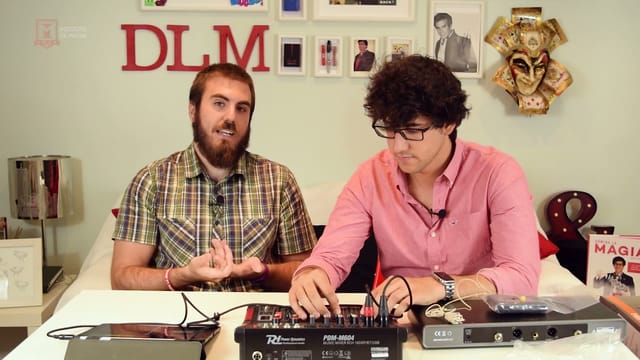
The equipment block covers the usefulness of knowing and bringing your own cables, planning for compatibility with the venue, and checking the connection between the playback device, the mixing console, and the speakers. Microphones include familiarity with the gear, mic hygiene, and backup alternatives in case of failure.
For multi-person teams, walkie-talkies, earpieces, and communication guidelines during setup, rehearsal, and performance are discussed. The experience of a regular technician is also valued for their ability to anticipate problems and coordinate with the venue.
Presenting the Show and Putting It into Practice
The dossier for Ilusiónate serves to explain how to present the show and its characteristics first, and then the artist. Useful information for bookers is reviewed: duration, audience, needs regarding space, sound, lighting, power supply and projection, load-in access, photographs, videos, and contact info. The figures shown belong to that specific example; each proposal needs its own details.
To apply the content, it is best to start with a developing repertoire or show and have a tool to write and organize documents. You can advance with the script, cues, and preparation lists before deciding what equipment you need. Audio playback and technical rehearsals will require the appropriate device, tracks, and connections for your setup. The programs and props shown are working examples, not a mandatory shopping list.